Changelog

Follow new updates and improvements to SurroundR.

API keys for enrichment, instant Chirp previews, and one panel for everything

Two and a half weeks of work since our last update, and one big change in how SurroundR sits in LinkedIn. Here is what is new.

Everything lives in the side panel now

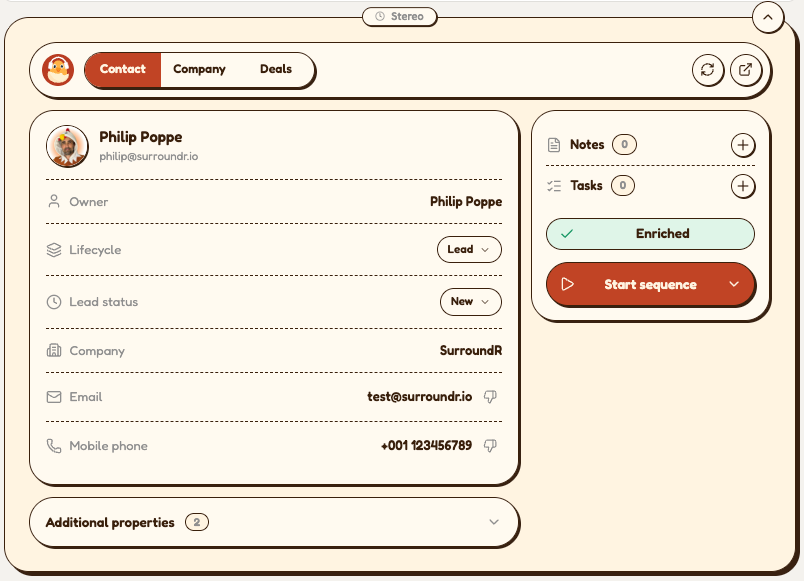
The panel we used to place inside LinkedIn profile and company pages is now off by default. Everything it did happens in the SurroundR side panel: adding and updating contacts and companies, enrichment, owner and lifecycle, tasks, notes, sequences and Chirps. One place to work, and LinkedIn's page stays LinkedIn's.

Open the side panel on any profile or company page and the matching HubSpot record is already there. Prefer the in-page panel? Turn it back on under Settings → General with Show panel on contact and company pages.
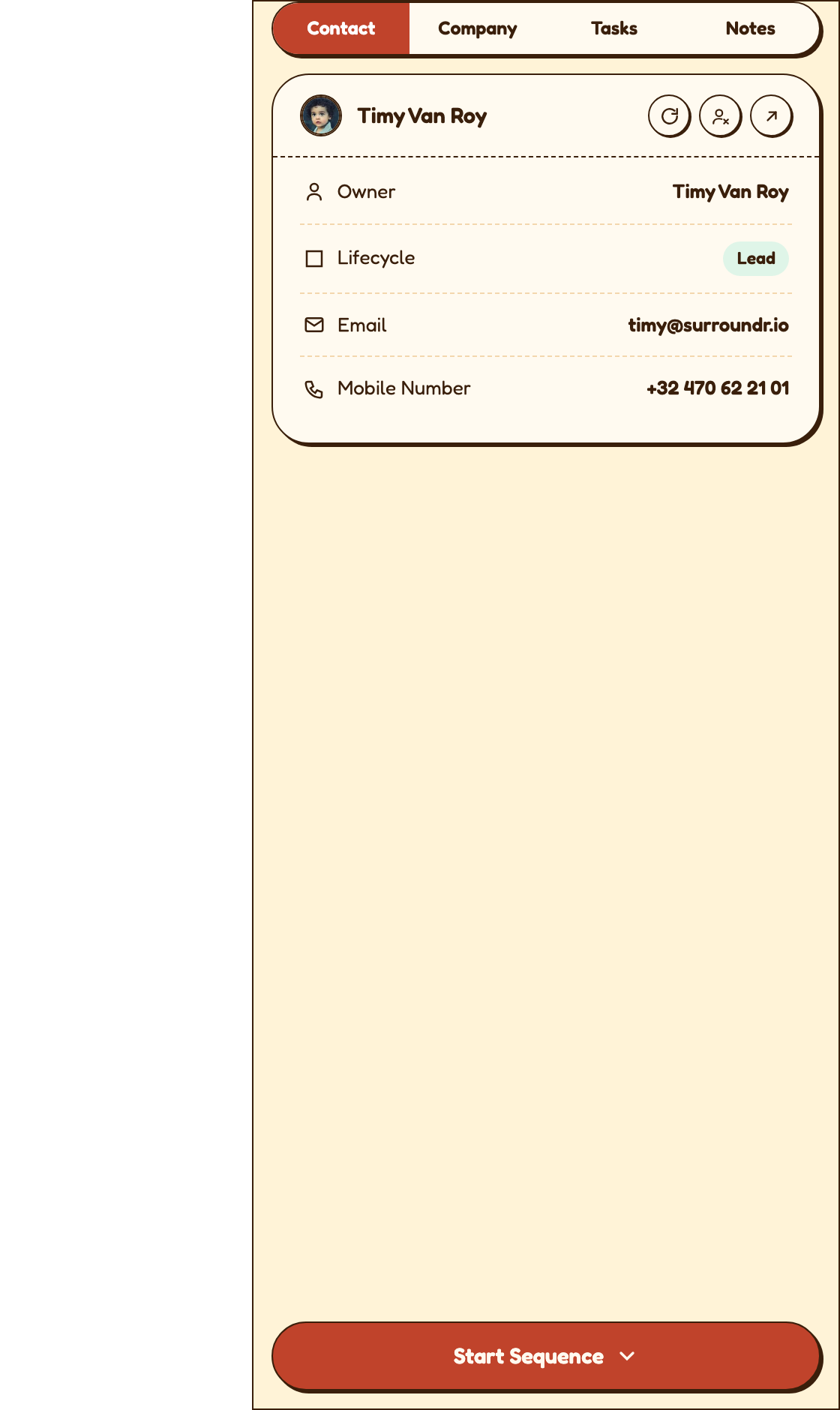
sidepanel contact

The side panel also follows your Chrome zoom on LinkedIn now. Zoom the tab to 125% or 150% and the panel scales with it, instead of staying at 100% next to a zoomed page.

New: API keys for the enrichment API

You can now run SurroundR enrichment from your own systems. Account admins find a new page under Settings → API keys.

  • Generate a key and copy it straight away. For your security it is shown once and never again.

  • See every key with its prefix, when it was created, when it was last used and whether it is active.

  • Revoke a key in one click (with a confirmation), for example when someone leaves or a key ends up somewhere it should not.

Send the key as a bearer token (Authorization: Bearer <your key>) to POST /v1/enrichments. Enrichment runs in the background: the call returns a job id straight away, and you fetch the result with GET /v1/enrichments/:id. Jobs use your account's credits, the same way enrichment in the extension does.

API keys are available to account admins on plans that include API access.
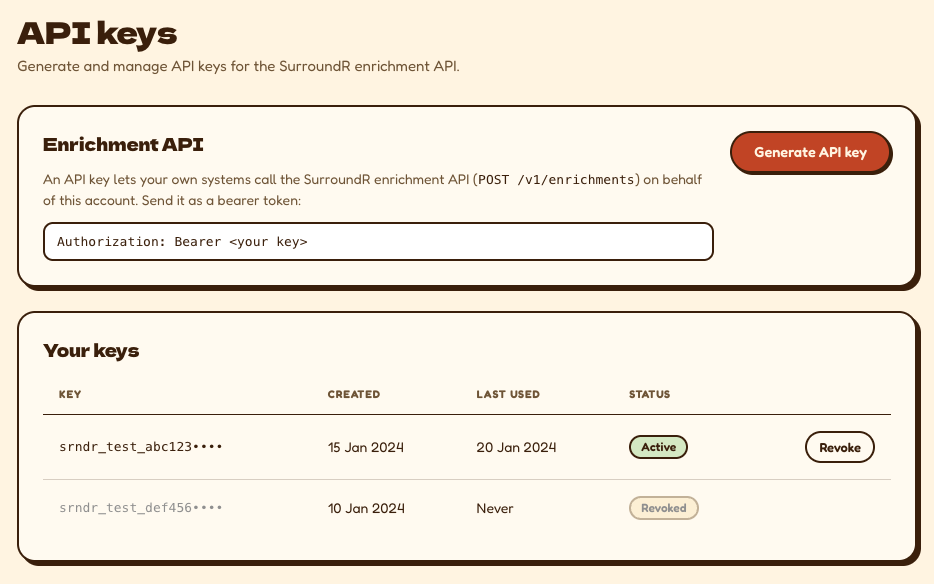
api keys in settings

Chirps: a moving preview within seconds, and the link is on your clipboard

When you paste a Chirp link into a LinkedIn message, LinkedIn shows a moving preview of you and your screen. That preview used to be ready only 30 to 50 seconds after you stopped recording, so a quick paste often got a plain card. It is now built while you record and is ready within seconds of hitting stop.

  • The link is copied for you. When you stop, the Chirp link for that contact is on your clipboard. Paste it into the message yourself, where and when you want it.

  • No more auto-paste. SurroundR no longer drops the link into the LinkedIn message box on its own. It arrived late and sometimes in the wrong conversation, and you are better placed to decide where it goes.

  • One permission prompt. Recording used to ask for camera and microphone separately, then again on the recorder and again on every new site. Now it is a single camera and microphone prompt, once.

  • Straight to your Chirp. After saving you land on the Chirp's page in the web app, and the side panel shows the new Chirp without a refresh. On the public Chirp page, Copy link and Share now confirm with a toast.

Default values get a sync behavior

Default values for contacts, companies and tasks now have the same Overwrite / Fill if empty control as Field mapping. Set a default to Fill if empty and SurroundR only writes it when the HubSpot property is blank, so a default never replaces a value your team has already set. Existing defaults start on Fill if empty. You will find it under Settings → Default values.
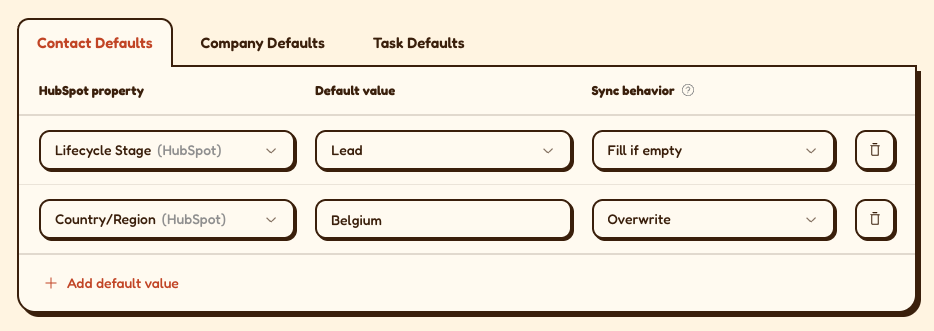
default value sync bahavior
default values sync behavior

Fixes in this release

  • Chirps play on iPhone. Some Chirps would not play on iOS, most often in LinkedIn's in-app browser, while they played fine on a desktop. New Chirps are encoded so iPhones accept them, and we re-encoded the existing Chirps that were affected.

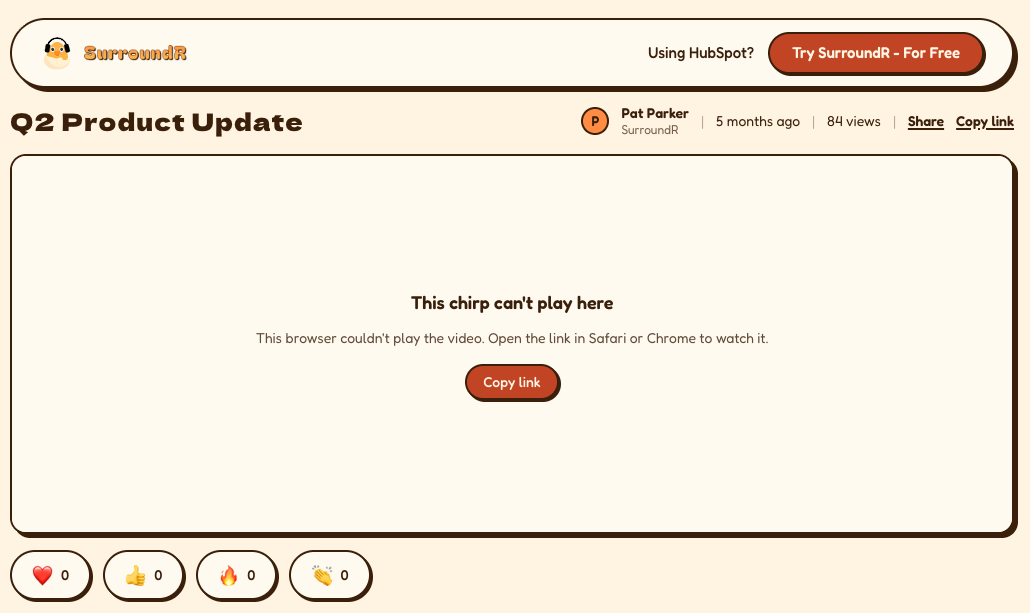
  • A clear message when a browser cannot play a Chirp. Instead of a Try again button that could never work, the viewer sees "This chirp can't play here" with a button to copy the link and open it elsewhere.

  • Email link scanners no longer count as views. Security scanners that open links in incoming emails were showing up as Chirp views. They are now ignored, so your view counts are people.

  • Credits are charged from your current period. Some accounts had an old credit period that was still being charged, which could also trigger a low-credit email you did not deserve. Charges, balances and alerts now always use your current period.
Also shipped since our last update

  • Panel properties for admins. Choose which HubSpot properties your reps see in the side panel, in what order, and whether they can edit them. Read-only HubSpot properties stay view-only.

  • Rebuilt General settings. Toggles are grouped, and settings that depend on another one say so.

  • Switch off LinkedIn highlights. A per-user toggle hides the highlight markers and cards on LinkedIn and Sales Navigator.

  • Append for enriched email and phone. In Field mapping, a found email or phone can go into an extra HubSpot property instead of replacing the one already there.

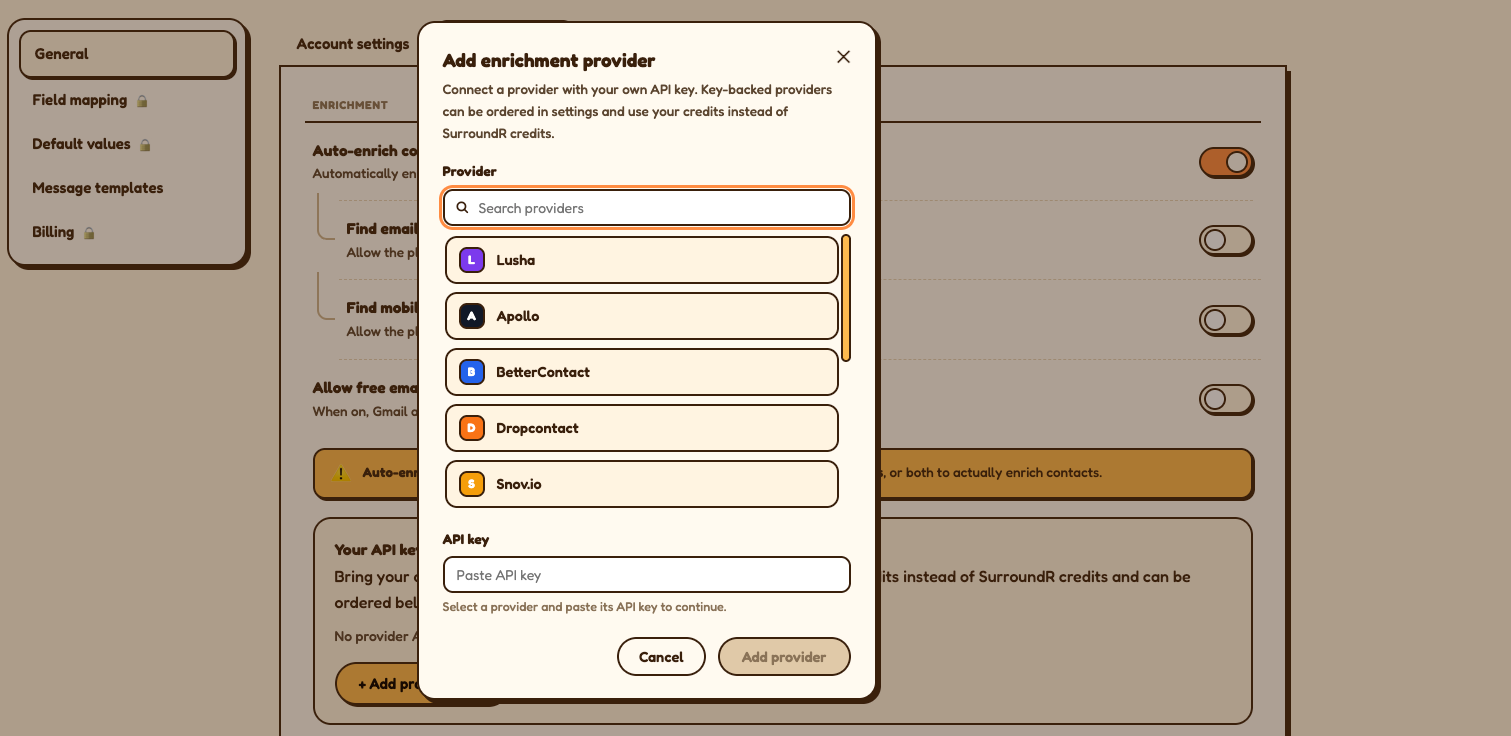
  • Airscale as a bring-your-own-key provider in the enrichment waterfall.

  • Low-credit alerts. Account admins get notified when enrichment credits run low.

  • Enroll a Sales Navigator export in a sequence. Pick a sequence and enroll the contacts you just exported.

  • Searchable owner dropdown in the panel, and the HubSpot record owner is no longer overwritten on sync.

  • LinkedIn profile photos in the side panel's contact lists.

  • Unread support replies. A dot on Support tells you when our team has answered.

  • A new Chirp viewer page. The page your prospects open is now a clean, full-screen player.

  • Retry a failed Chirp. If processing fails, the owner can retry it from the Chirp. Long Loom Chirps (roughly four minutes and up) no longer fail processing.

  • The right company, every time. For contacts linked to several companies, the side panel shows their primary HubSpot company. Companies merged in HubSpot are followed to the surviving record instead of showing no contacts.

Questions or feedback? Reply through Support in the side panel. We read everything.
SurroundR 3.0 — the big one 🎉

We've been quiet for a couple of weeks. This is why.

This release touches almost every screen you look at: the extension popup, the panel on LinkedIn profiles, the DM window, and the login page. Plus five new enrichment providers, per-user trials, and a long list of "finally, that's fixed."

Grab a coffee. ☕


✨ Extension 3.0 — a new look, top to bottom

The popup got out of its own box

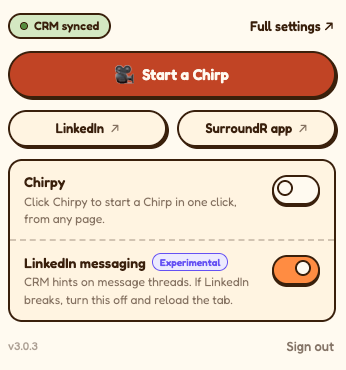
The toolbar popup is now a single, clean view that fills the whole window instead of squeezing itself into a frame inside a frame. Fewer clicks, less scrolling, no more nesting dolls.

New toolbar popup
New toolbar popup

The LinkedIn panel: no more modal pop-ups

The panel that appears on LinkedIn profiles has been rebuilt around one principle: stop interrupting you.

  • Picking a role is now inline. No modal. Choose the contact's position right there in the panel.

  • Unlinking is inline too. Instead of a pop-up asking "are you sure?", you get a small confirmation band you can dismiss just as fast.

  • Additional properties are collapsed by default and stay how you left them after a refresh.

  • Disabled buttons now tell you why they're disabled. Revolutionary, we know.

  • The enrich button got friendlier wording and now shows you where each value came from.

  • The company card lost the Address row (nobody was using it) and gained proper linking with clear error messages when something goes wrong.

Injection panel with inline role picker]
Injection panel — enrich states / provenance

DM Window 3.0

SurroundR now lives inside your LinkedIn conversations properly.

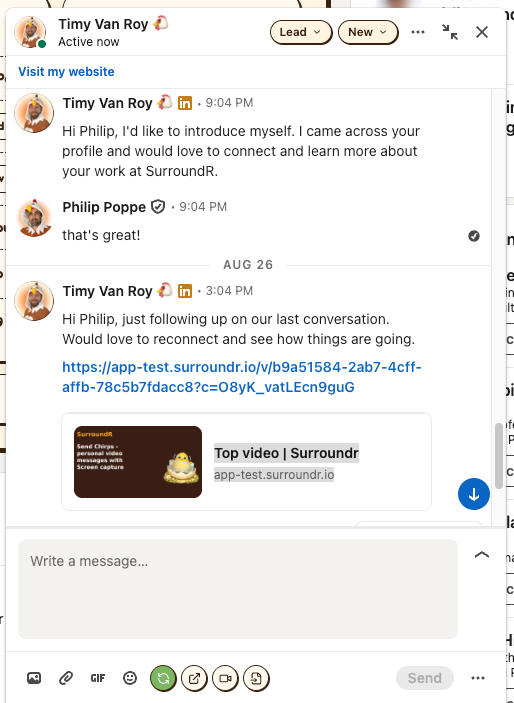
  • Contact controls sit right in the message header — link/add the contact, or change lifecycle and lead status without leaving the chat.

  • The footer action row was rebranded and cleaned up (sync, open in HubSpot, chirp, templates).

DM syncing
DM syncing

A brand-new login page

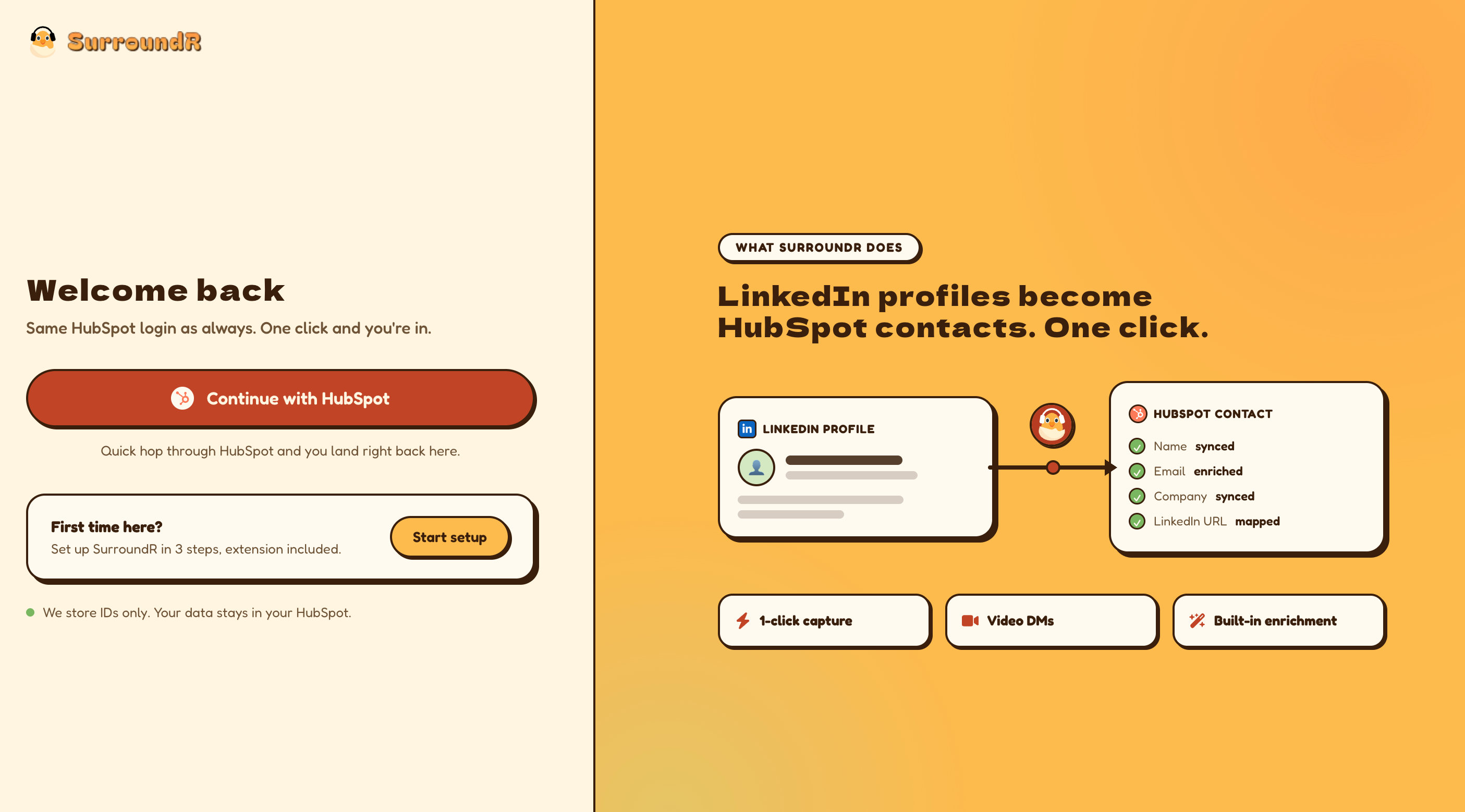
Returning users get a "Welcome back" screen with one obvious button, and first-time users get their own clearly marked door to getting started. The right-hand panel now actually explains what SurroundR does, instead of showing a pretty picture.

new login page
new login page

🐤 Chirpy is better behaved

Chirpy has learned some manners:

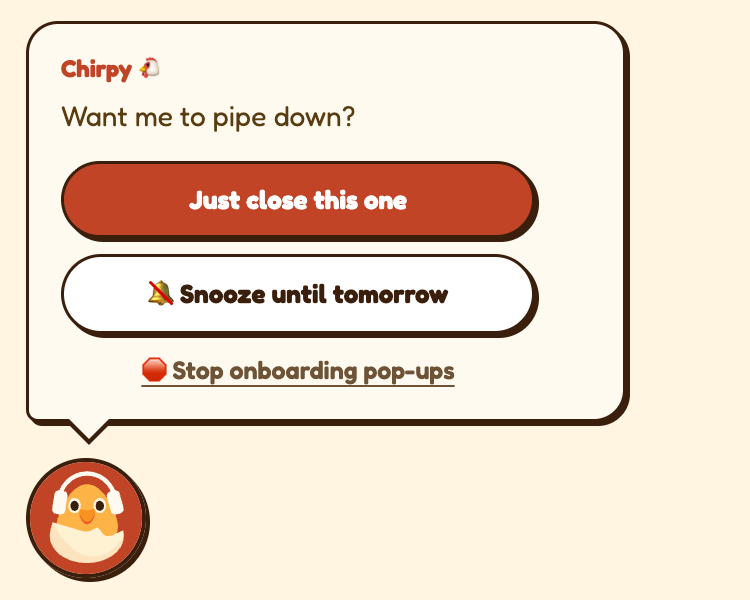
  • You can tell Chirpy to pipe down. Click the X on an onboarding balloon and you get three options: close this one, snooze until tomorrow, or stop onboarding pop-ups entirely. (Weekend snoozes politely resolve to Monday.)

  • Your walkthrough progress syncs across devices. Finish a step on your laptop, and your desktop knows about it.

  • No more duplicate balloons showing up on two machines at once.

  • New extension version? Chirpy tells you — and you apply it in one click instead of restarting Chrome and hoping.

  • The "trial has ended" wall is gone. It used to be a 700px dialog that hijacked the page. It's now a small Chirpy balloon. Same message, far less shouting.

Chirpy pipe down
Chirpy pipe down

🔥 Trials and streaks now belong to you

Trials used to sit on the account. If you joined a team whose trial had already run out, you hit the wall before you'd clicked anything. Not exactly a warm welcome.

Now every user gets their own trial: 3 days on activation, plus up to 4 more earned through your First-5 streak (7 days max). Your teammate's streak no longer secretly extends — or ends — yours.

Streaks themselves got a tune-up:

  • Week 1 now counts from your first login, not from some abstract calendar

  • First-5 daily rewards actually land

  • Weekend days are counted correctly

  • The streak card refreshes right after you enrich, instead of making you wonder

Streak / gamification card]

🔌 Bring your own enrichment keys

Five new providers you can plug in with your own API key:

Apollo · BetterContact · Dropcontact · Snov · RocketReach

Also on the enrichment side:

  • Low-balance warnings now arrive once per provider per billing cycle instead of every five minutes

  • The "Find mobile numbers" setting is finally respected

  • Raw vendor error codes no longer leak into the UI — you get a message in plain English

  • Enriching can't spin forever anymore; there's a hard timeout

  • Running out of provider credits is reported as exactly that

Enrichment providers with BYOK

🗂️ Field mapping, upgraded

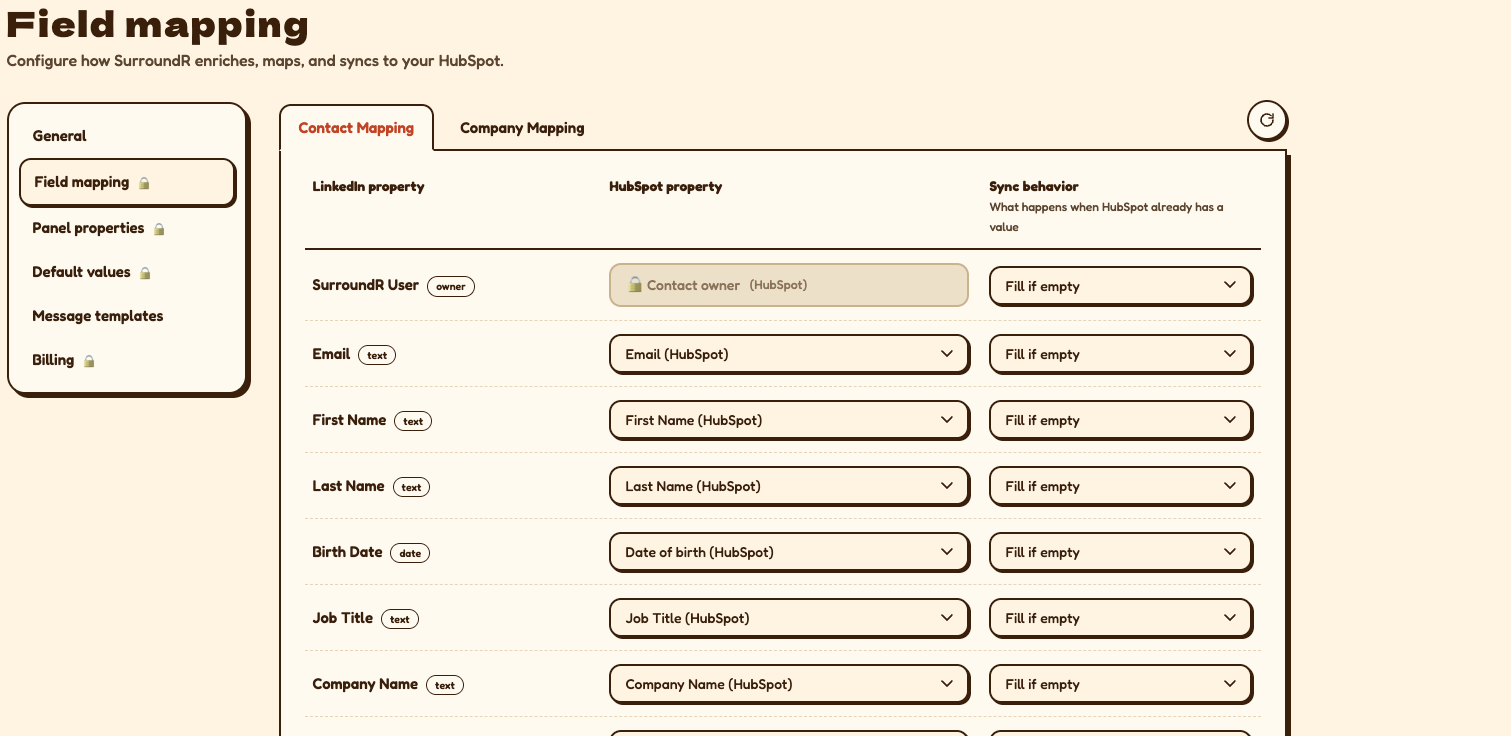
  • Choose how each field syncs: overwrite the HubSpot value, or only fill it if it's empty. Per mapping.

  • Contact avatar sync moved into the field mapping table, where you'd expect to find it.

  • Company mapping got serious: LinkedIn Handle now maps to HubSpot's standard property out of the box, and we store the LinkedIn company ID and Sales Navigator URL properly, so company matching stops guessing.

  • The confusing "Default/Custom Mapping" column is gone, and there's a refresh button when you've just changed something in HubSpot.

Field mapping settings

🖼️ LinkedIn photos on your HubSpot contacts

Contact records no longer look like a witness protection programme. SurroundR can now push LinkedIn profile photos onto HubSpot contacts, with an admin setting to control whether existing photos get overwritten.


👥 Team & account controls

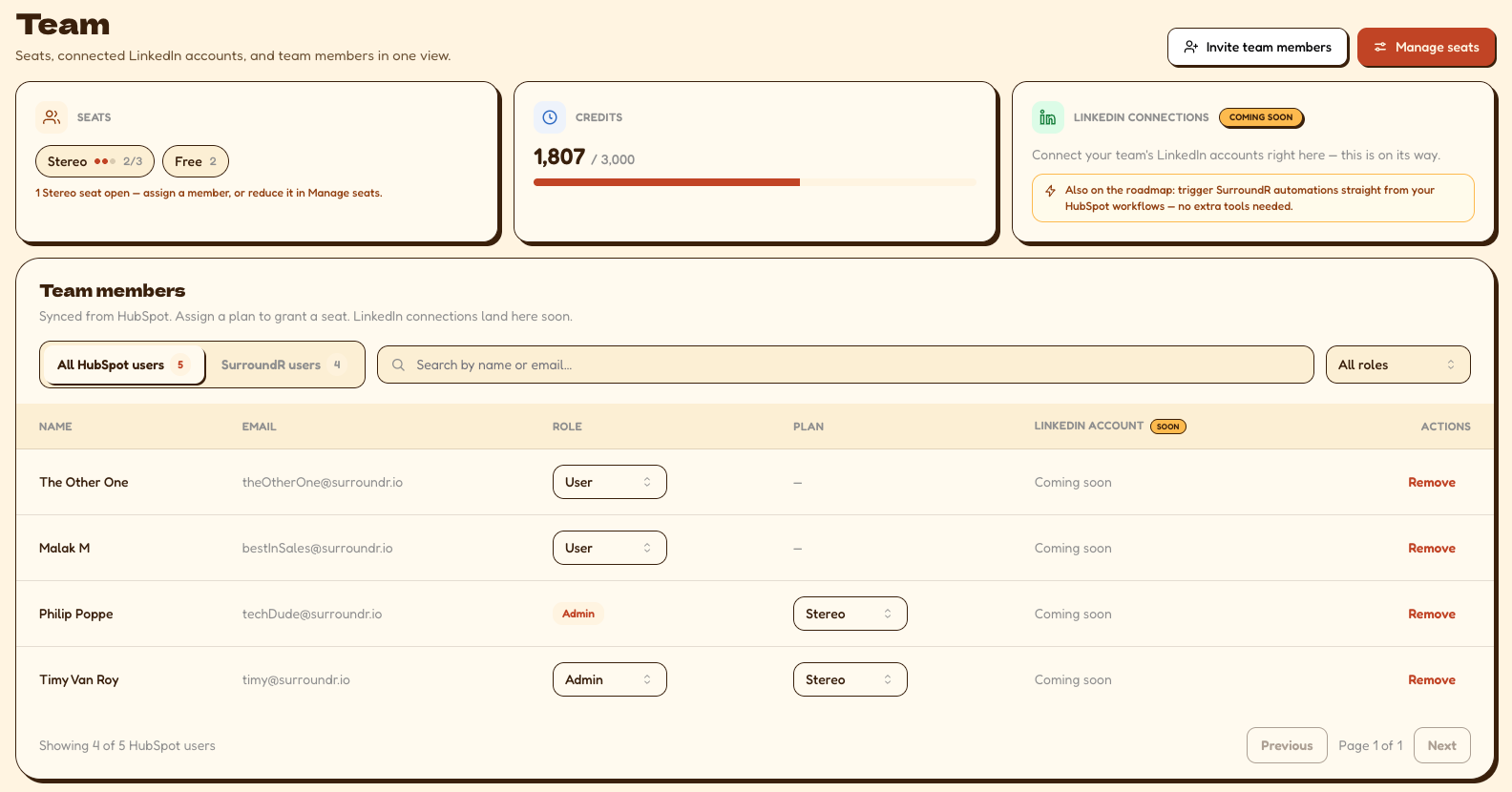
  • Role management for team members — assign and change roles directly from the team screen.

  • LinkedIn message autosync can be switched off account-wide, or per individual contact, for the conversations you'd rather keep to yourself.

  • Billing page now shows the real numbers. Mono and Stereo prices and credit amounts had drifted away from what Stripe actually charges. They match now. (Yes, we're a bit embarrassed.)

  • Connecting HubSpot no longer asks for consent every single time. Once is enough.

  • Portal users without super-admin rights can now connect without hitting a wall.

team page
Team page

🐛 Bugs, squashed

A selection of things that used to be annoying and no longer are:

  • LinkedIn's own Message button and messaging dock stopped working when SurroundR was active. Fixed.

  • The SurroundR bubble on LinkedIn would stall, flash, or vanish when you reopened it. Fixed.

  • SurroundR didn't show up in LinkedIn message bubbles at all in some layouts. Fixed.

  • Associated contacts fell off the panel after a refresh. They stay put now.

  • Unlinking and re-linking a contact or company didn't stick. It does now.

  • Contacts with accented names (Müller, François, Løvström) weren't being matched in HubSpot. Now they are.

  • Personal email addresses (gmail, hotmail, …) could sneak into bulk Sales Navigator exports. Blocked.

  • Invalid company domains derived from LinkedIn profile URLs no longer get written to HubSpot.

  • Job title now comes through from HubSpot properly.

  • The "reload the extension" banner only appears when a reload is genuinely required, instead of whenever it felt like it.

  • Hidden additional properties stay hidden after a page refresh.

  • The streak counter updates after bulk Sales Navigator enrichment.

  • Company info injected on LinkedIn company pages now lands in the right place.

  • The sequence unenroll button was removed — it always failed, so it was more of a decoration than a feature.

  • Various panel styling fixes: buttons matching the design, text no longer overflowing in narrow layouts, headers behaving when collapsed.


Under the hood

We also did a pile of work you'll never see but will definitely feel: faster HubSpot field loading, more resilient CRM syncing when HubSpot returns odd errors, better error reporting, and a security update to the underlying framework. You're welcome. 🛠️


Spotted something that isn't behaving? Let us know — we read everything.