Your look, your win, your AI assistant
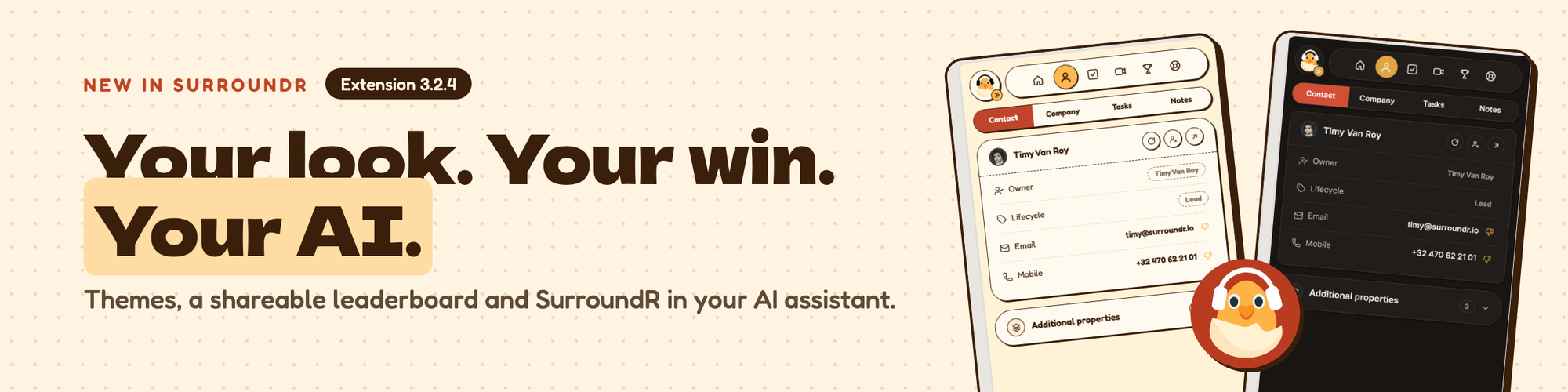
Make SurroundR look the way you like, share your leaderboard wins on LinkedIn, and ask your AI assistant about your contacts.
Key points
Themes: pick from five looks for the web app and the extension. Your choice follows you everywhere.
Public leaderboard: see who is on top this week, share your rank and post your win in one click.
AI assistants: connect SurroundR to Claude, ChatGPT, Cursor or VS Code. No API key needed.
Pick your look
SurroundR now comes in five themes: Classic, Soft, Clean, Slate and Dark. Classic is the look you know. Soft and Clean are lighter, with thinner lines. Slate is cool grey and flat. Dark is easy on the eyes at night.
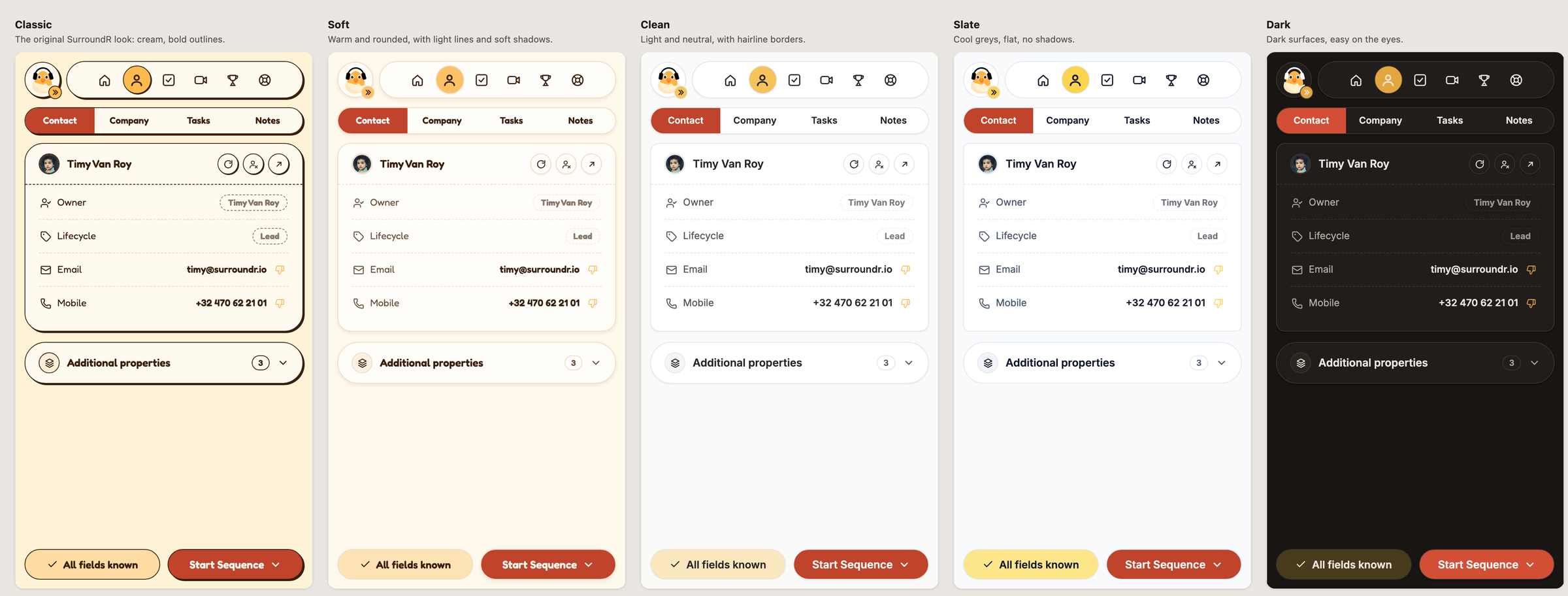
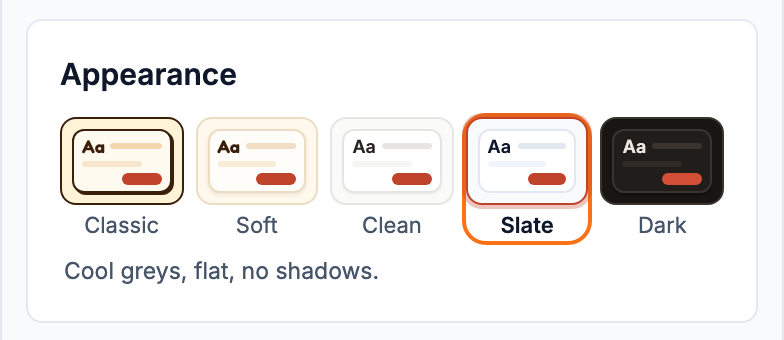
In the extension: open the SurroundR side panel, go to Settings and pick a theme in the Appearance card. The panel changes right away.
In the web app: click Appearance at the bottom of the menu on the left.
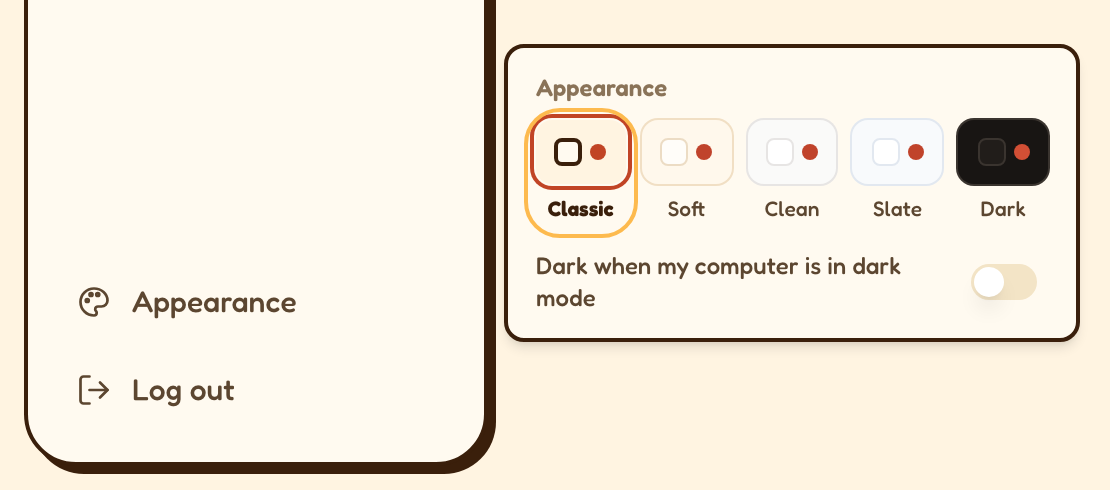
Your theme is saved to your account, so the web app and the extension always match. Turn on "Dark when my computer is in dark mode" to switch with your computer.
The web app also has a new menu on the left. Fold it to icons with ⌘B, and press ⌘K to search pages, settings and contacts.
Share your win on the public leaderboard
The leaderboard shows who scored highest with SurroundR this week, month or quarter. Switch between People, Companies and Awards. Click a company to see only its people.
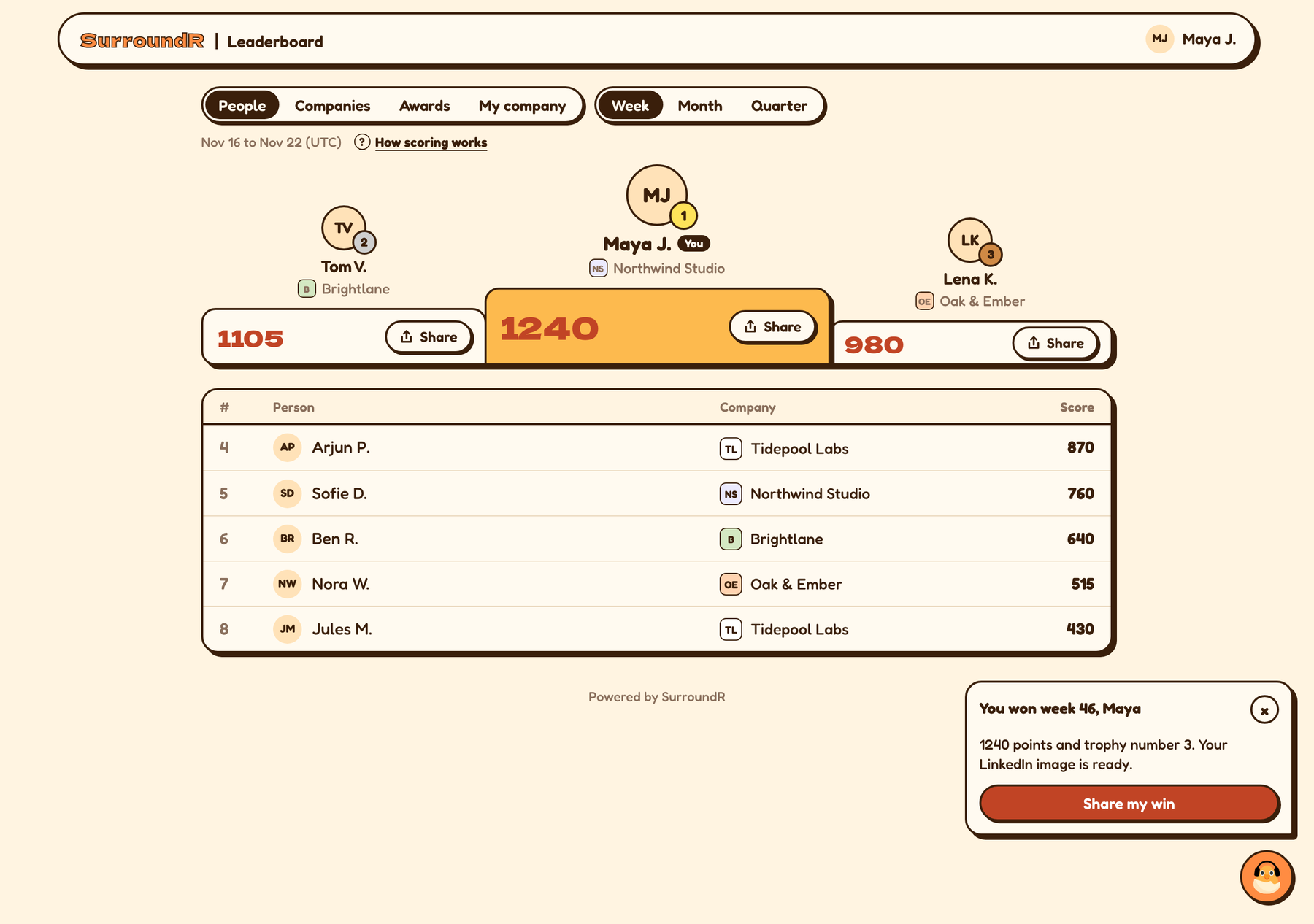
The link in your address bar is the share link. It keeps the view, the period and the company you picked.
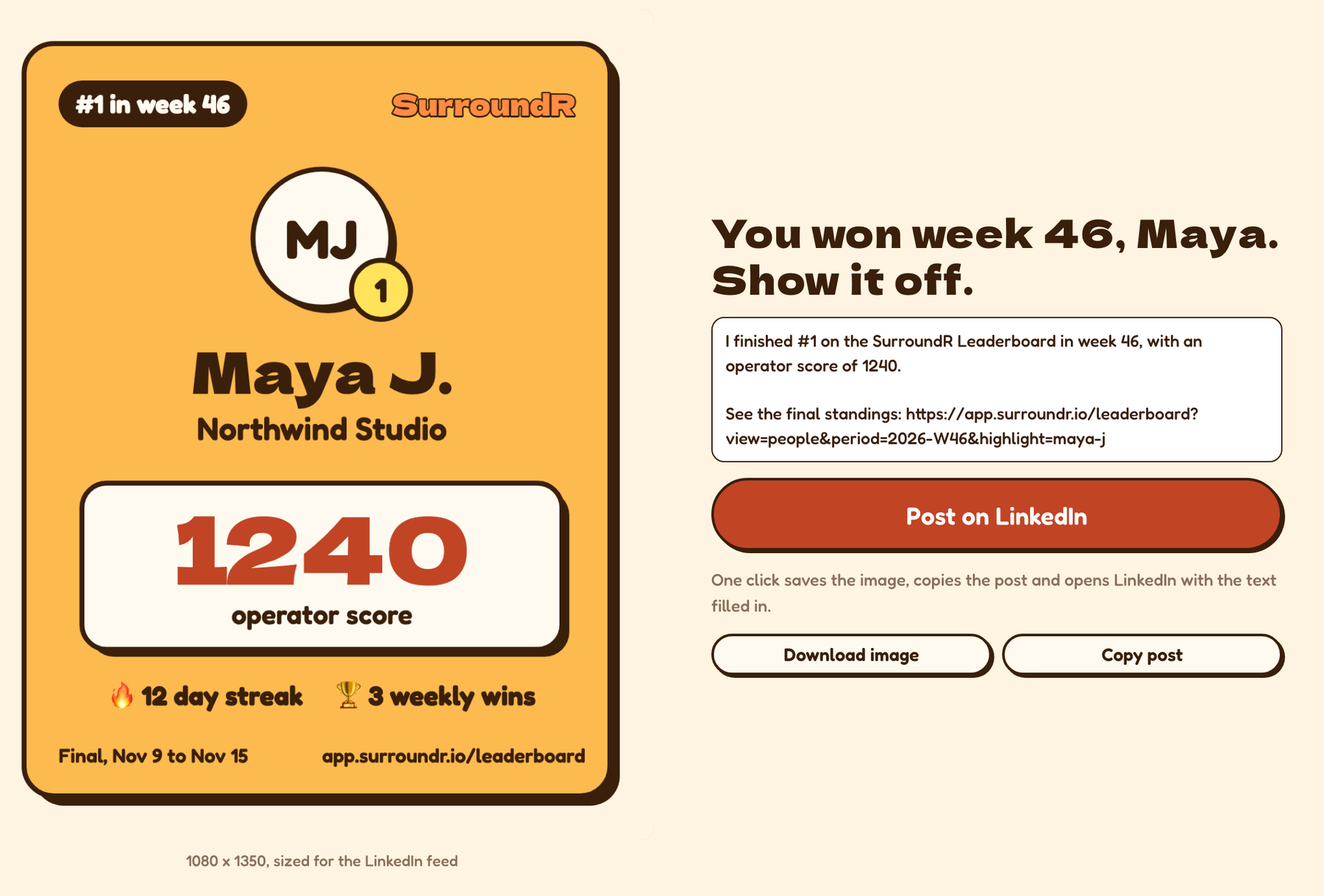
Made the top 3 or won an award? Every Monday you get a message and an email. Click Share my win to get a ready-made LinkedIn image. Post on LinkedIn saves the image, copies the text and opens LinkedIn for you.
Admins decide if their company shows on the public board. Go to Settings, then General, and use "Show our company on the public leaderboard". It is on by default.
Ask your AI assistant about SurroundR
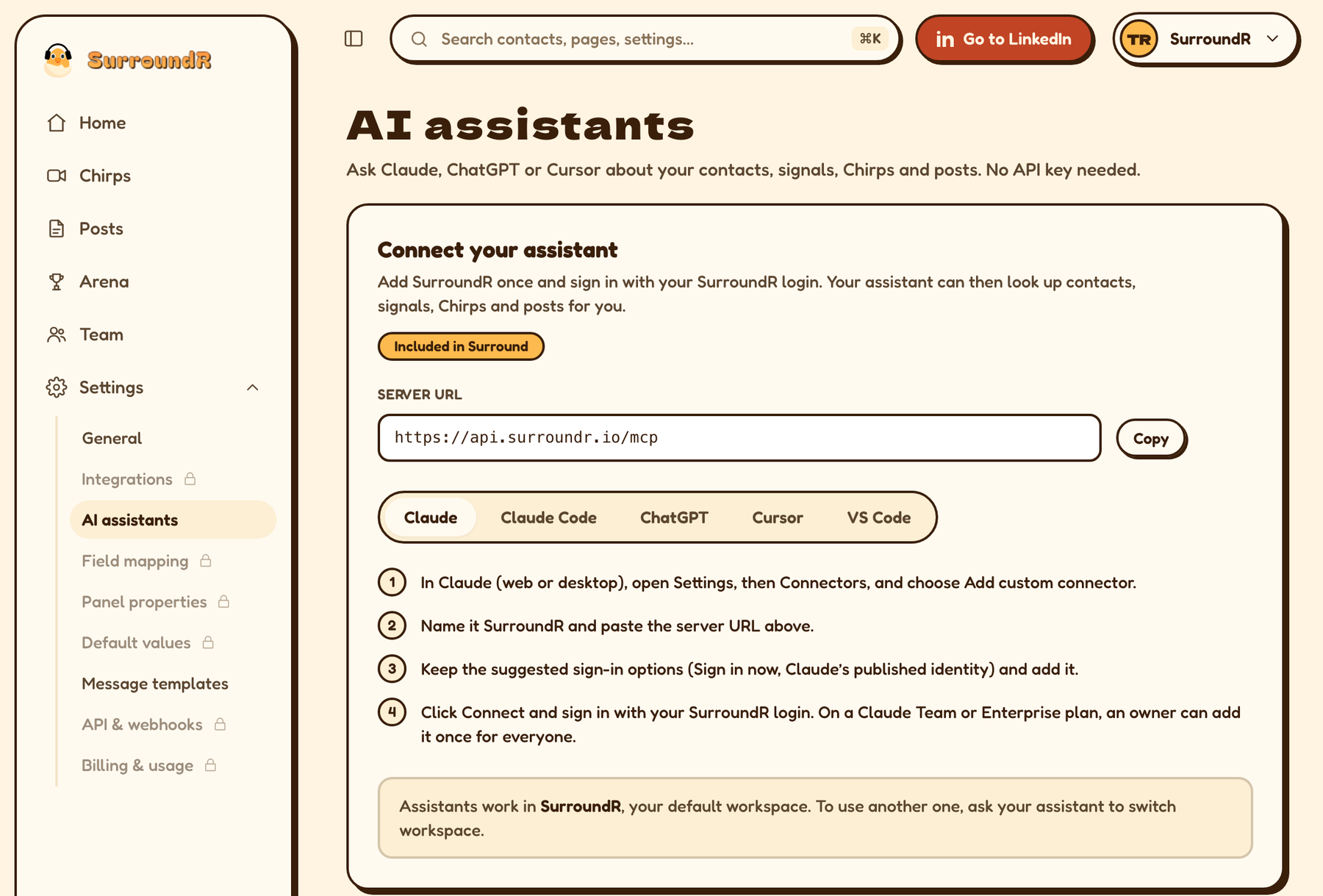
The new Settings page AI assistants connects SurroundR to Claude, Claude Code, ChatGPT, Cursor and VS Code. Copy the server URL, follow the steps for your assistant and sign in with your SurroundR login. You don't need an API key.
Then ask things like "Prepare me for my meeting with Jane at Acme tomorrow" or "How did my LinkedIn posts do this month?". The page has example prompts you can copy, for meetings, signals, Chirps, posts and your CRM. You can now also ask how your team is posting.
If your plan doesn't include AI assistants, the page tells you.
Also improved
Post sync
Each person in Who posts has a sync dot. Hover it to see their extension version, last sync and how our numbers compare to LinkedIn's own.
Each member page shows the same status in the top right, with a note when numbers may be low.
After you turn on post sync, your posts start loading right away, also in the evening. If the extension isn't running, we tell you.
New posts are checked every 15 minutes in their first hours, so early likes and comments show up sooner.
A teammate's post in Team posts clears as soon as you like, comment or repost it.
Reliability
When adding a contact fails, you get a better message to see why.
Bulk add from a company's People tab no longer shows people as locked. You can select and add them again.
Company lookups no longer fail on some companies.
Sales Navigator lookups no longer hang. Profile lookups find people whose LinkedIn name differs from your CRM.
You see your plan limit before you send a bulk add, not after.
The extension slows down when LinkedIn asks it to, and fewer LinkedIn calls fail after your computer was idle.
Chrome updates the extension on its own. Want version 3.2.4 now? Open chrome://extensions, turn on Developer mode and click Update.