Your team's LinkedIn, on one page
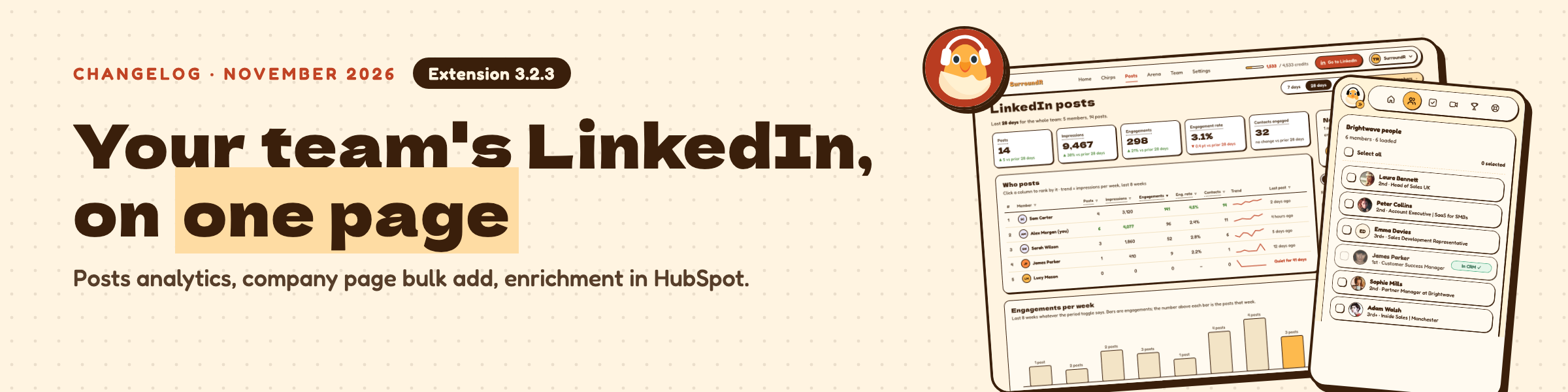
Your team posts on LinkedIn every week. Now you can see what it brings in, without opening a single profile.
Key points
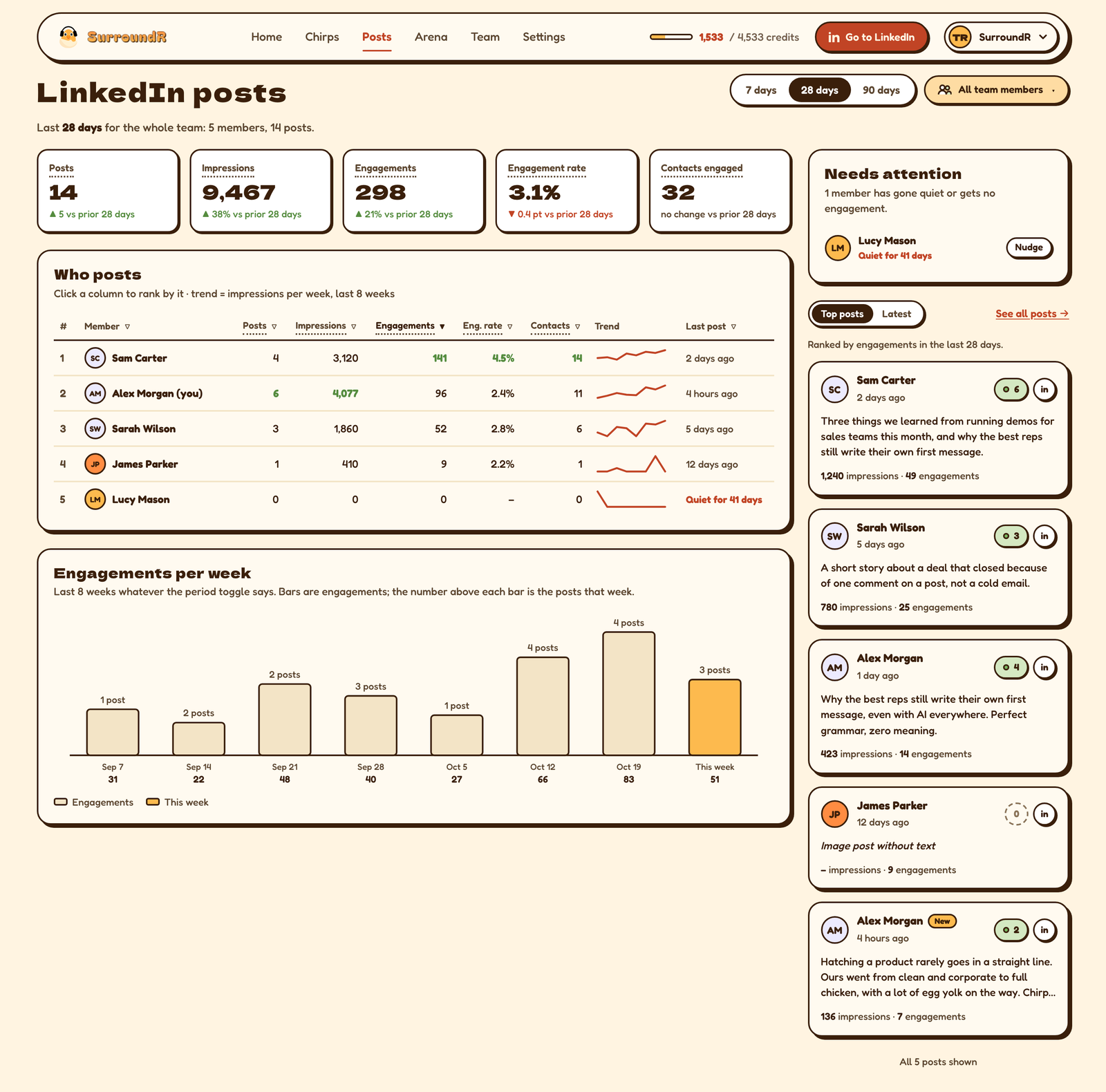
Posts has its own page in the top menu: who posts, what works, and who engaged.
Bulk add from a company page. Open a company's People tab and add the people you want in one go.
Enrichment lives in HubSpot. See and run searches straight from a contact record.
Clearer access control for team templates and chirps.
Your HubSpot connection, explained. See what each permission unlocks.
Posts: your team's LinkedIn, on one page
Posts now sits in the top menu, next to Chirps. Pick 7, 28 or 90 days and the whole team's LinkedIn activity is in front of you.
Overview. Posts, impressions, engagements and contacts engaged, each compared with the period before.
Who posts. A ranked table you can sort by any column, with an 8-week trend per person.
Needs attention. Teammates who went quiet, with a Nudge button.
Every post. A full feed with filters and sorting, plus Top posts and Latest in the sidebar.
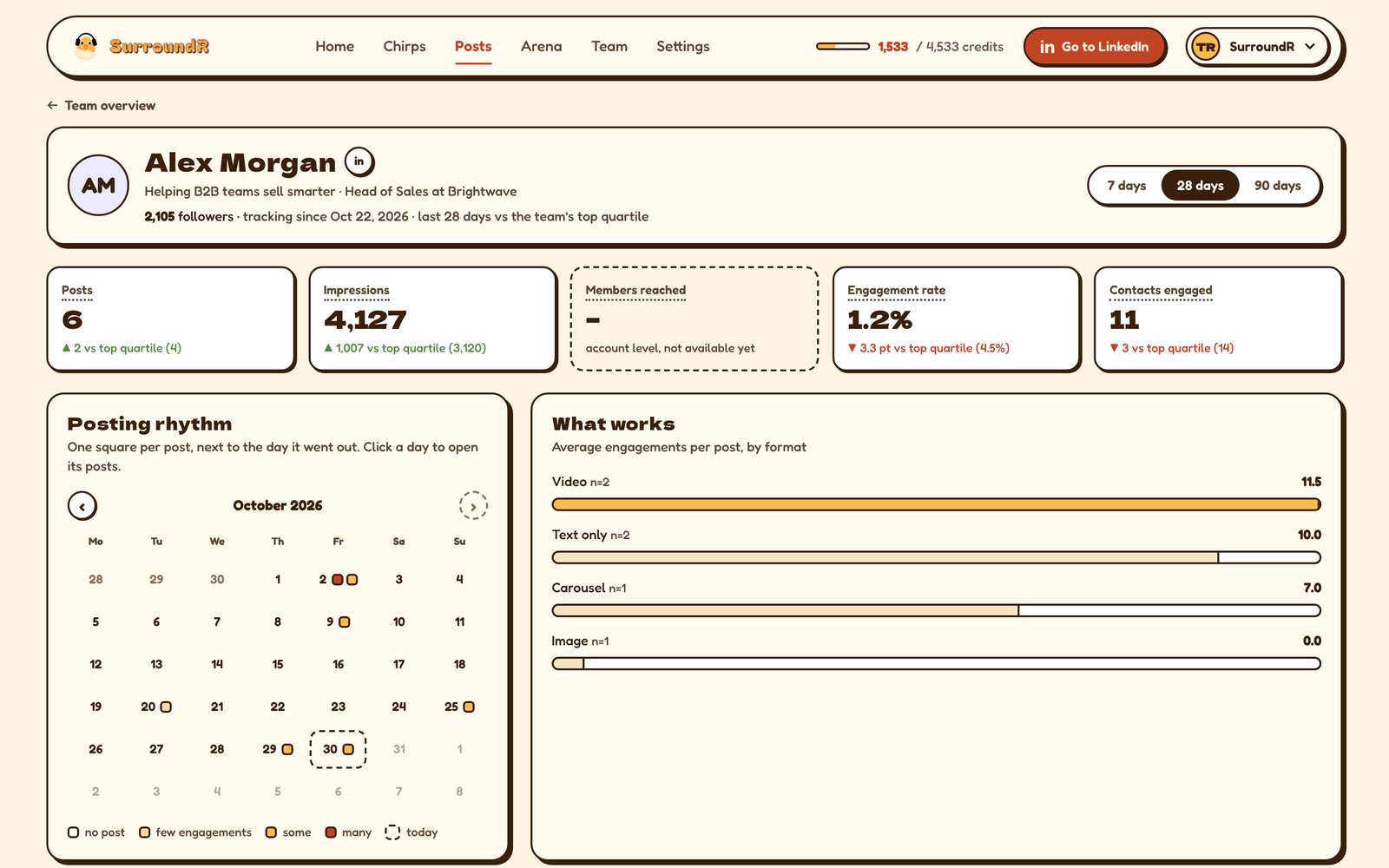
Per person. A posting calendar, which formats work best for them, and all their posts in one table.
Per post. Engagement over time and exactly who reacted, commented or reposted.
New posts show up minutes after you publish them. Just turned on post sync? Your most recent posts load first.
Bulk add, straight from a company page
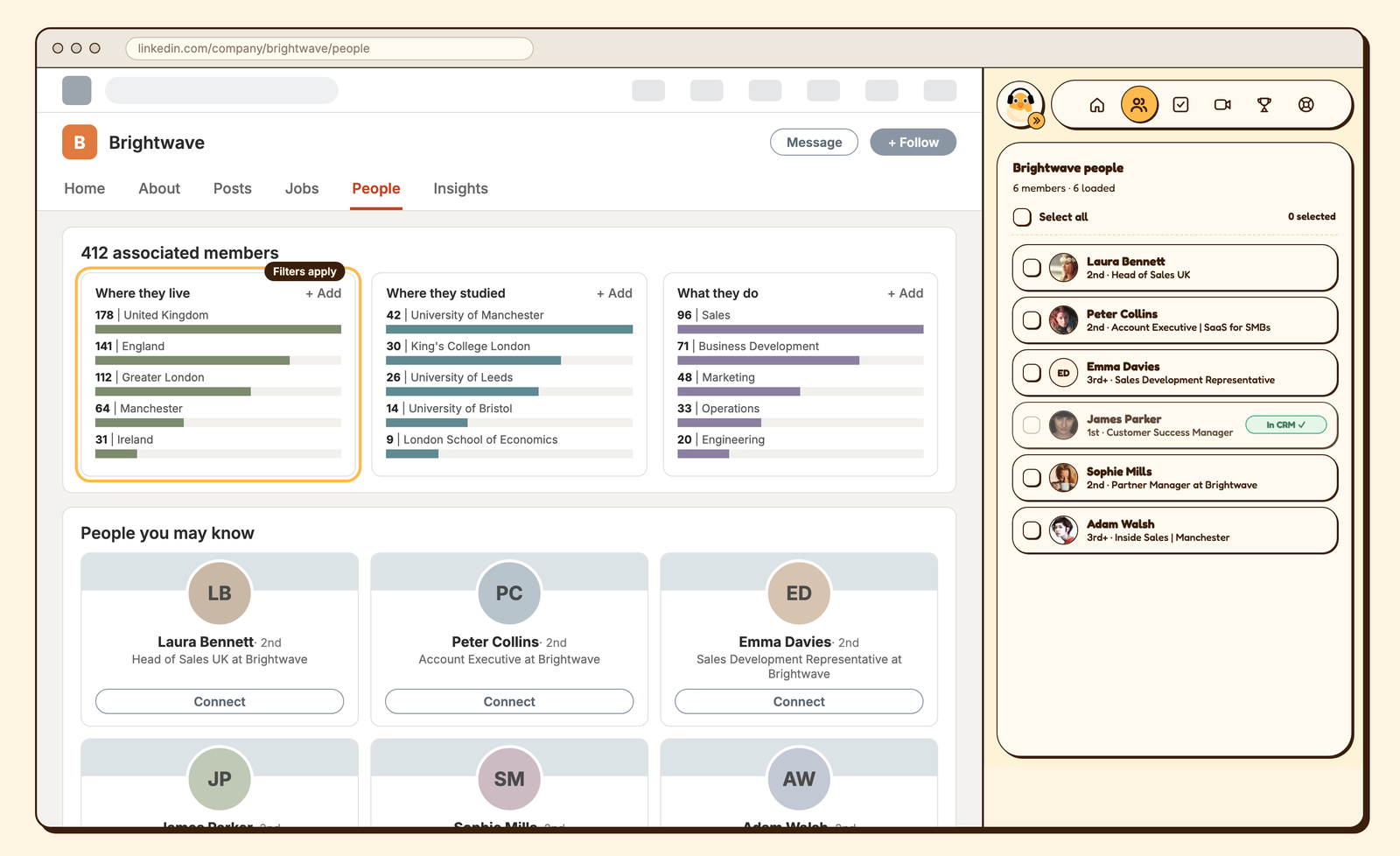
Found the right account? Open its People tab on LinkedIn. The side panel switches to a list of everyone on the page, filters included.
Tick the people you want, or Select all, and add them in one run.
People already in your CRM are marked, so you never add them twice.
Change a filter on LinkedIn and the list follows. Up to 100 people per page.
It works the same as people search and your connections list.
Enrichment, right inside HubSpot
Contact records in HubSpot get a SurroundR enrichment card, in the record tab and the sidebar. No need to go back to LinkedIn to check an email or a mobile number.
See the current email and mobile, their status, and when each was last searched.
See which sources were tried and which are left, plus your team's credits.
Start a search for email and mobile, email only or mobile only, and watch it run live.
Wrong value? Thumbs down to find a new one or remove it.
Improved access control for templates and chirps
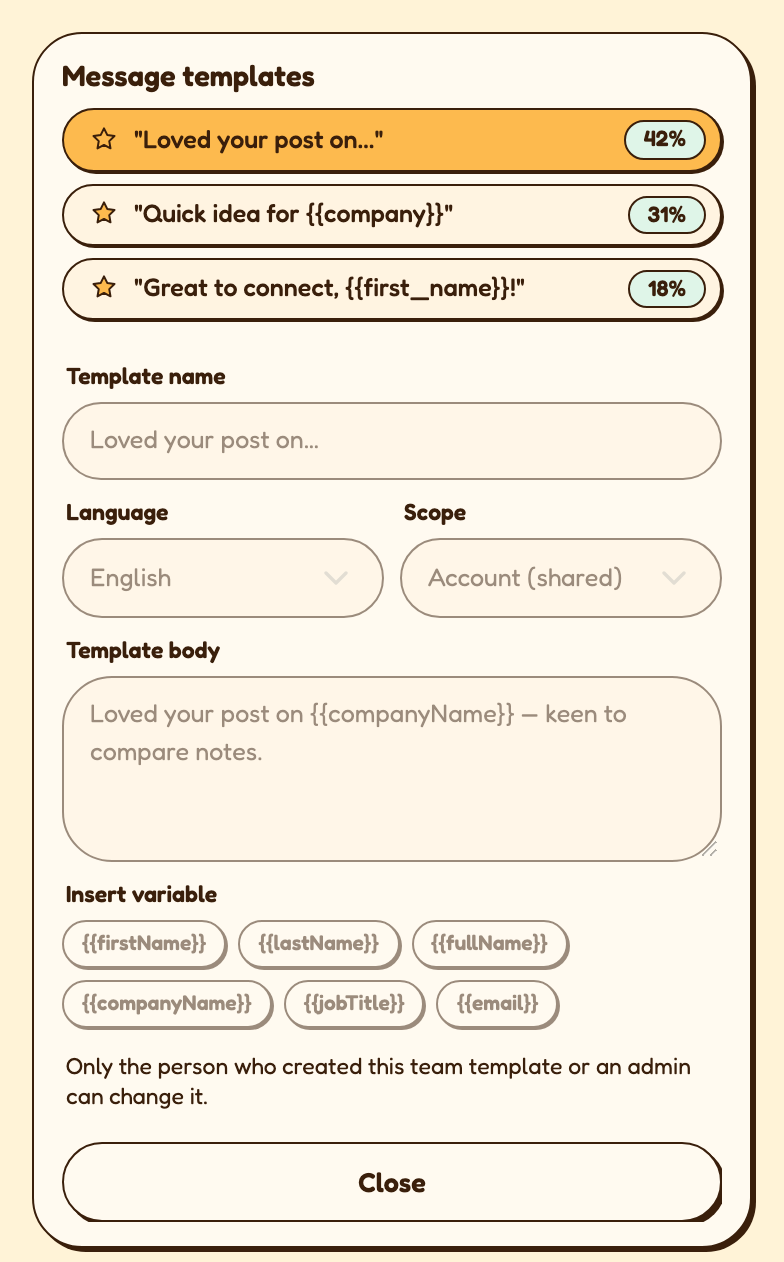
Team templates. Whoever creates a team template can now edit and delete it. Admins still can too. Everyone else sees it read only, in the web app and the extension.
Chirps. Workspace owners and admins can delete any chirp in their workspace, not only their own.
Your HubSpot connection, explained
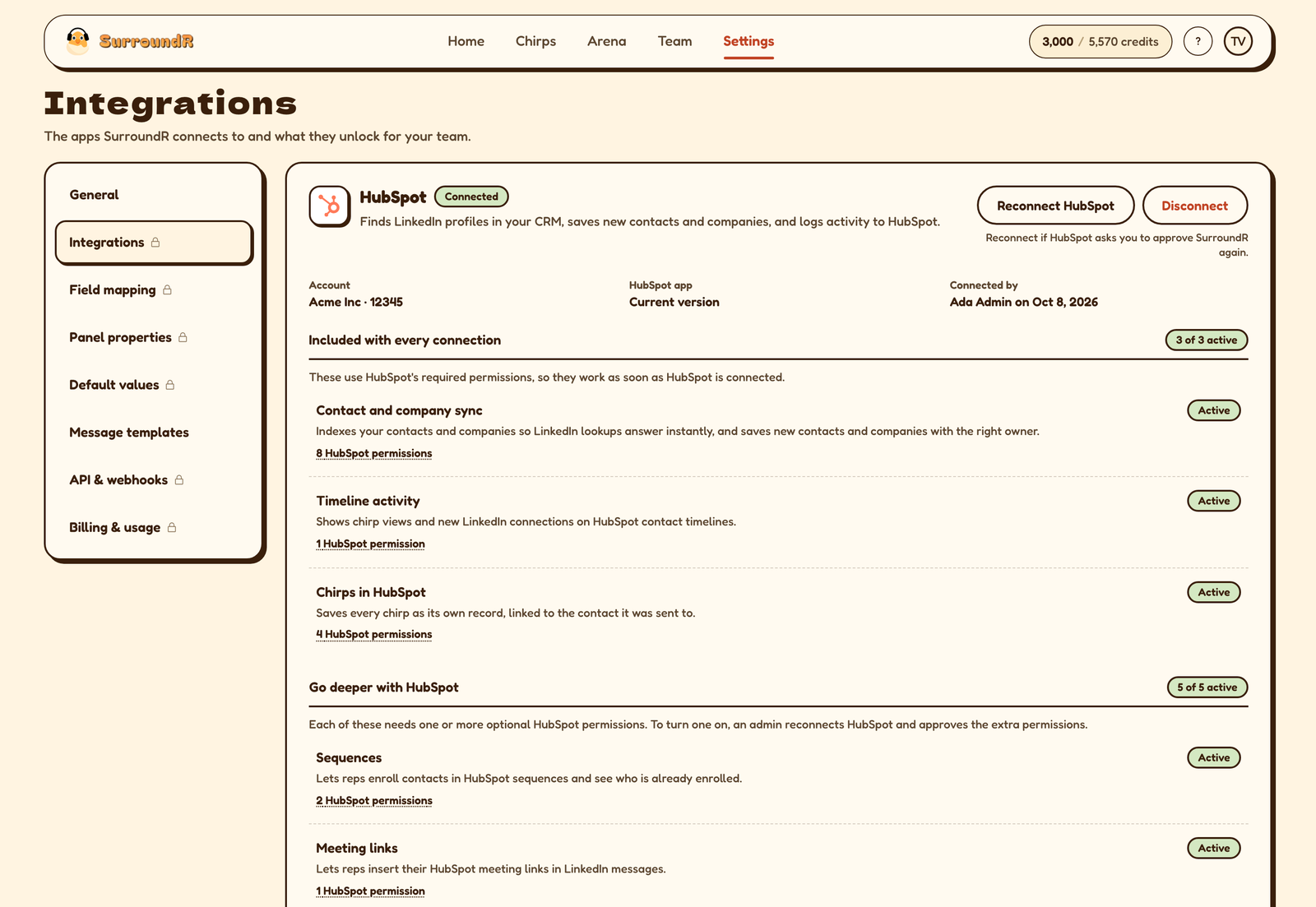
Settings > Integrations now shows what your HubSpot connection actually does for you.
Included with every connection: what works the moment HubSpot is connected.
Go deeper with HubSpot: the extras, such as sequences, meeting links and deals.
Click a permission count to see each HubSpot permission in HubSpot's own words.
Disconnect now asks on the page and spells out what stops, what keeps working and what never changes.
Also improved
New users get a guided first add in the side panel. The floating Chirp button now starts switched off; turn it on from the extension popup.
Sign-in window hiding behind another one? A button brings it back to the front.
Task lists with more than 100 contacts keep all their contacts.
Adding a contact to HubSpot works even when their company is not synced yet.
Field mapping stays usable when HubSpot refuses access to company fields.
Sales Navigator lookups wait out LinkedIn's rate limits instead of failing.
Faster and steadier
Profiles you already checked show up instantly when you come back to them. Company search is quicker, idle LinkedIn tabs stay quiet, and the extension does less work while you browse LinkedIn.
Chrome updates the extension on its own. Want 3.2.3 right now? Open chrome://extensions, turn on Developer mode and click Update.